

WordPress is one of the most popular content management systems in use today. It powers millions of websites around the world, from small personal blogs to large corporate sites. One of the things that makes WordPress so great is its flexibility and ease of use. However, if you want your website to perform at its best, there are a few tips and tricks you should know about. In this article, we’ll take a look at five ways you can boost your website’s performance with WordPress.
Introduction to WordPress Tips and Tricks
One of the first things you can do to improve your website’s performance is to make sure it’s optimized for speed. This involves several different steps, including compressing images, minimizing HTTP requests, and using caching to reduce server load. Another important factor is choosing the right hosting provider. Look for a company that offers fast loading times, reliable uptime, and excellent customer support.
5 Ways to Boost Your Website’s Performance with WordPress

1. Use a Content Delivery Network (CDN) – A CDN is a network of servers located around the world that work together to deliver your site’s content to users. By using a CDN, you can reduce latency and improve page load times, even when visitors are accessing your site from far away.
2. Optimize Your Images – Large image files can slow down your website, especially on mobile devices. Make sure to optimize all images before uploading them to your site. You can also use plugins like WP Smush or ImageOptim to automatically compress images without sacrificing quality.
3. Minify CSS and JavaScript Files – Minifying these types of files removes unnecessary characters and white space, reducing their file size and improving load times. There are many free tools available online that can help you minify your files quickly and easily.
4. Enable Browser Caching – When someone visits your site, their browser caches certain elements of your design and layout. This means those elements don’t have to be downloaded again each time they visit, which can significantly improve load times. To enable browser caching, simply install a plugin like WP Super Cache or W3 Total Cache.
5. Use Plugins Wisely – While plugins can add functionality and features to your site, they can also slow down your website’s performance by adding extra code and scripts. Only use essential plugins, and avoid installing too many at once. Also, keep an eye out for any plugins that may conflict with others and cause issues.
Important Security Measures You Should Take With WordPress

Finally, security is another critical aspect of maintaining a successful WordPress site. Here are some important measures you should take:
Keep your software up to date – Always ensure that your version of WordPress, as well as any installed plugins and themes, are updated to the latest versions.
Use strong passwords – Choose complex passwords that include uppercase and lowercase letters, numbers, and symbols. Don’t reuse passwords across multiple accounts.
Install security plugins – Plugins like iThemes Security or All in One WP Security & Firewall provide additional layers of protection against hackers and malware attacks.
In conclusion, following these tips and tricks will help you get the most out of your WordPress site. Whether you’re looking to improve performance, enhance security, or just make your site more user-friendly, there are plenty of options available to you. So start exploring the possibilities of WordPress today!
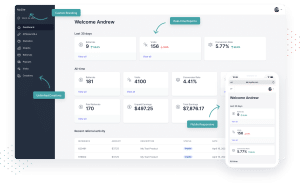
Affiliate Platform Plugin
Affiliate Platform Plugin Simple Affiliate Program Management Software Affiliate Platform Plugin The WordPress Affiliate Platform is an easy to use WordPress plugin for affiliate recruitment, management and

Mastering Answer Engine Optimization (AEO): Elevating Search Visibility
Answer Engine Optimization (AEO) is a crucial strategy in today’s AI-centric digital marketing landscape. It focuses on optimizing content for maximum visibility and relevance in

Top WordPress Wedding Themes: Your 2024 Essential Guide
Welcome to our essential guide to the top WordPress wedding themes for 2024. If you’re planning a wedding and looking to create a stunning website
I don’t think the title of your article matches the content lol. Just kidding, mainly because I had some doubts after reading the article.
Quality posts is the main to invite the users
to go to see the web site, that’s what this website is providing.
Wow, awesome weblog layout! How lengthy have you been running a blog for?
you made blogging glance easy. The full glance of your website is magnificent, let alone the content
material!